01
Open Central Home
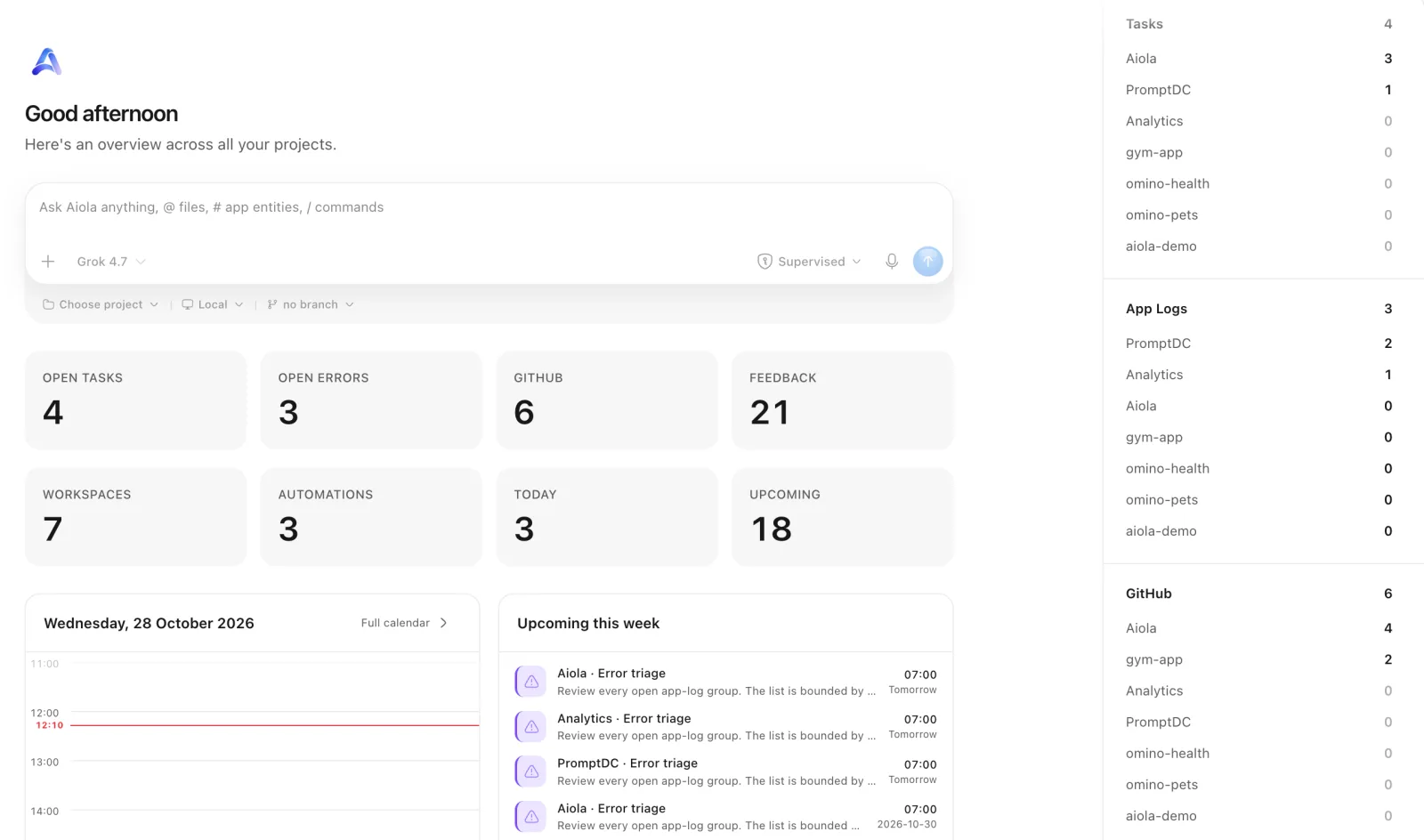
Checking every project separately makes updates easy to miss. Central Home combines workspace summaries, today’s calendar, upcoming work, and notifications you can clear.
Aiola Central
Work gets missed when you check every repository separately. Aiola Central combines tasks, GitHub, schedules, App Logs, Feedback, and Analytics across workspaces. Find what needs attention and open it with the right project context.
01
Checking every project separately makes updates easy to miss. Central Home combines workspace summaries, today’s calendar, upcoming work, and notifications you can clear.
02
Similar tasks across projects can send you to the wrong repository. Central opens combined task and GitHub records with their owning workspace.
03
Starting from a shared overview still needs the right project context. The Central Home composer selects a workspace before opening its thread.
Switching repositories hides work waiting elsewhere. Central combines task boards and lists with a GitHub issue and pull request inbox.
Finding an earlier conversation should not require opening every project. Central’s sidebar browses workspace conversations and opens their threads.
Errors and customer reports arrive across different projects. Central combines searchable, filterable inboxes with contextual chat and Fix It threads.
You need to see which connected projects deserve attention. Central compares visitors, pageviews, and revenue, then opens project details for investigation.
Overlapping project schedules are hard to spot separately. Central Calendar combines scheduled tasks and automation occurrences using the app-wide timezone.
Cross-project work needs reusable skills and a place for shell commands. Central offers Skills with workspace-targeted chat and separate Split or Canvas terminals.
Default colors may be uncomfortable during long coding sessions. Appearance offers system, light, and dark modes, editable palettes, presets, previews, and resets.
Small interface choices affect everyday comfort. Appearance adjusts corners, pointer cursors, workspace icons, macOS text smoothing, and Quick Note position.
Frequently used pages can get buried in the sidebar. Appearance reorders pages, moves them between sections or Settings, and edits workspace and Central layouts separately.
Repeated navigation interrupts your flow. Search pages, threads, workspaces, and Git actions with Cmd+K or Ctrl+K, and customize shortcuts including system-wide thread popouts.
App behavior should match how you work. General sets message sending, file destinations, timezone, completion notifications, notification permission alerts, and account controls.
An agent can finish while you are using another app. General offers Always, Only when unfocused, or Never completion notifications.
Agent setup and quota checks should not require separate dashboards. Settings manage Claude Code, Codex, Cursor, Grok CLI, OpenCode, and Antigravity, with available usage.
You may need desktop access from your phone. Connections enables LAN access, copies addresses, pairs devices, and reviews or revokes their access.
External AI clients need connection details to access your hosted project data. MCP settings show the server URL, client examples, and available tools.
Work gets missed when you check projects one at a time. Central Home brings workspace summaries, notifications, and upcoming schedules into one view.
A combined inbox still needs the right repository. Central Tasks and GitHub preserve the owning workspace when you open records. The Home composer chooses a workspace before chat.
Errors and customer feedback need a path into coding work. Central App Logs and Feedback combine records across projects. Fix It starts a thread carrying the selected report’s context.
Daily navigation takes too many repeated clicks. The command palette finds pages, workspaces, threads, and Git actions. Appearance and Keybinds adapt navigation to your habits.
Scheduling across projects needs consistent times. Central Calendar combines task and automation schedules. General sets the app-wide timezone used by calendars and scheduling.

Errors, user feedback, GitHub and analytics live next to your coding agents in one desktop app. Every issue becomes a task an agent can take.