Aiola Feedback

Turn user reports into fixes.

Incomplete bug reports make problems hard to reproduce. Aiola collects custom fields and screenshots, tracks submissions, and opens agent threads with the report context. Move from a user report to a proposed fix you can review.

How it works

01

Build and install your forms

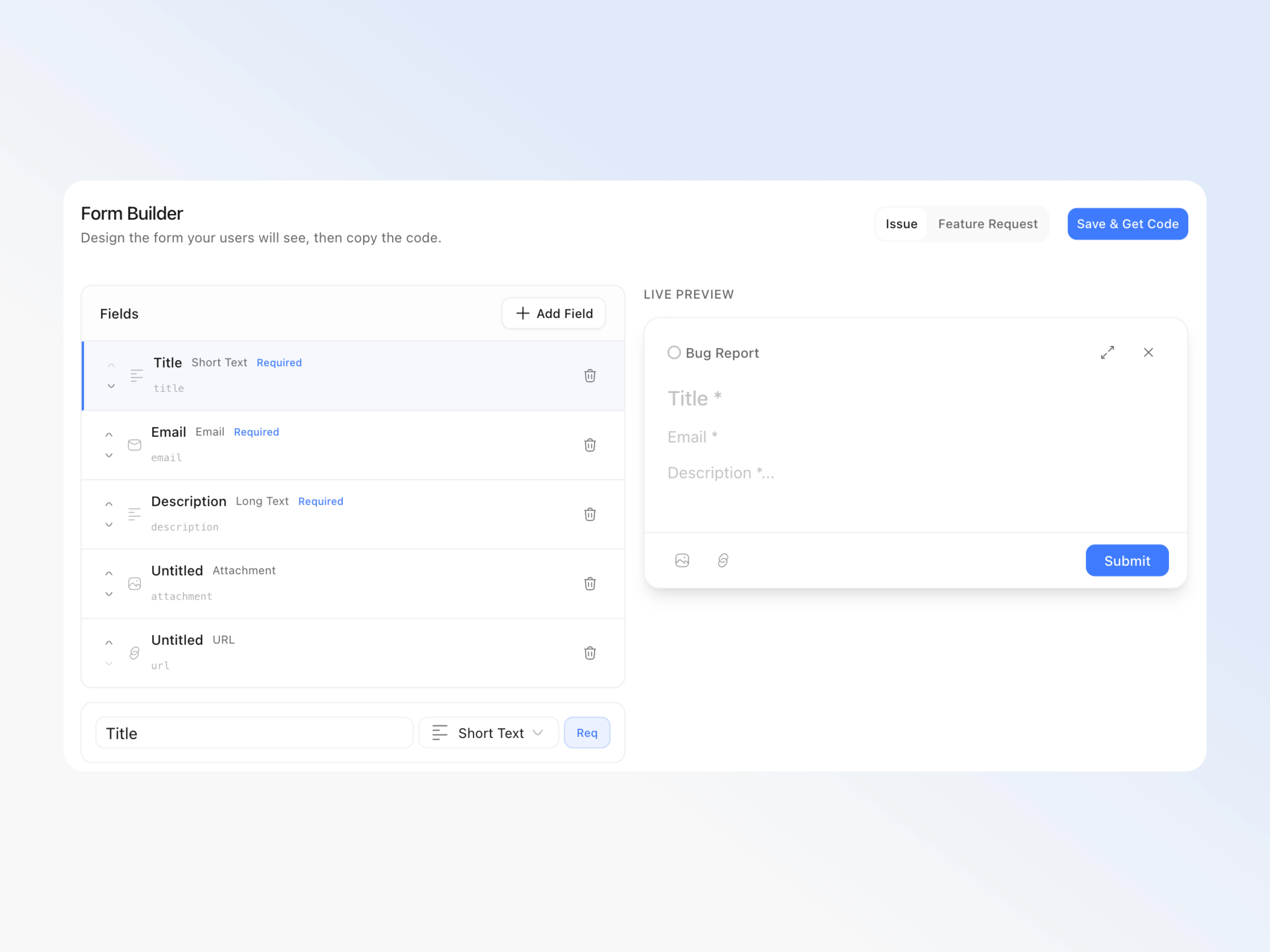
Users need a clear place to report problems. Build Issue and Feature Request forms in Settings, under Feedback, then install the generated integration.

02

Inspect incoming reports

Vague reports make reproduction difficult. Refresh Workspace Feedback to inspect submitted fields, attached screenshots, and supplied context before choosing an action.

03

Chat, Open chat, or Fix it

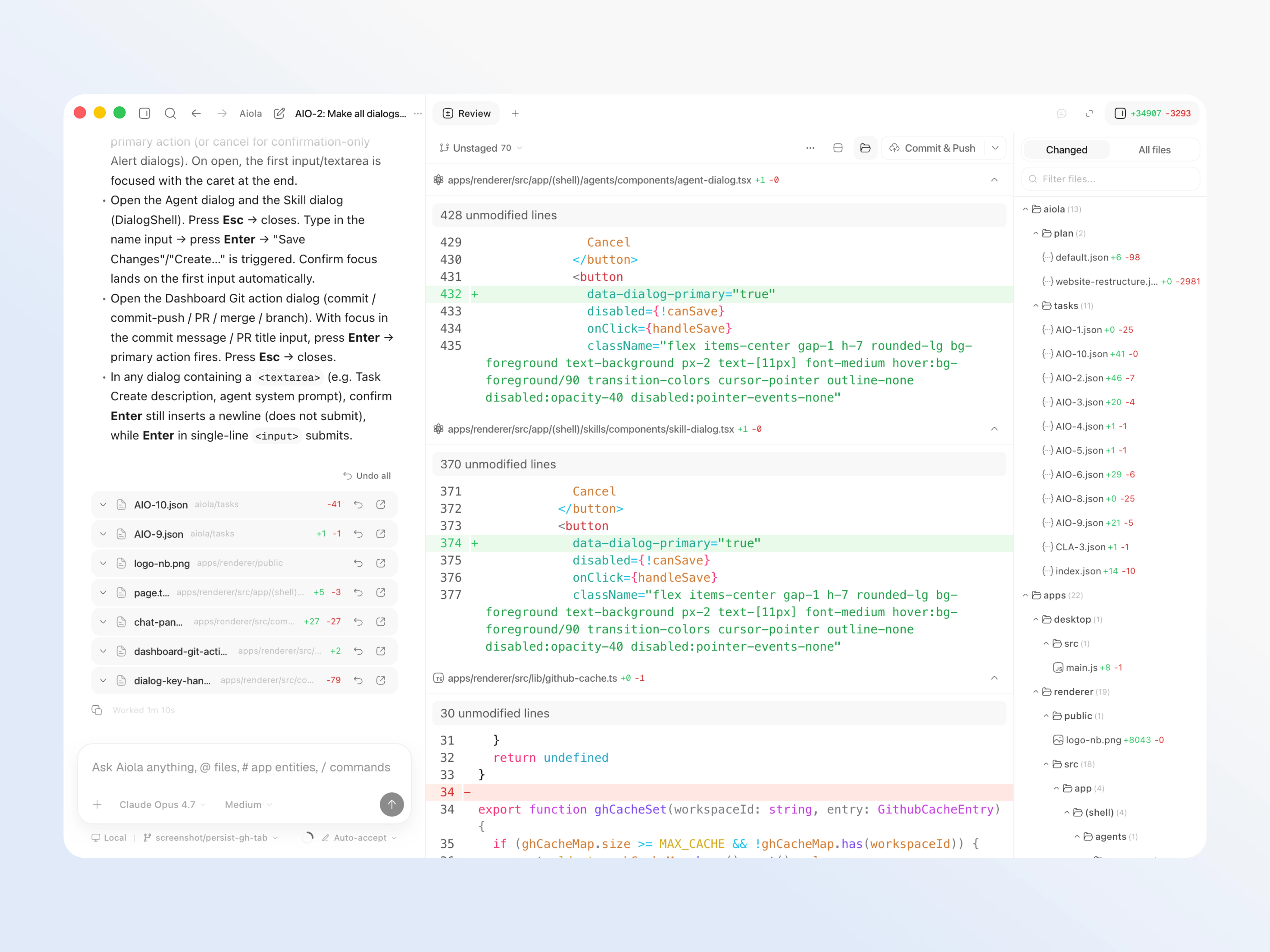
Copying reports into agent chat loses useful details. Chat starts investigations; Open chat resumes them, while Fix it sends report context into the thread.

Collect the details you need

Form builder and preview

Generic forms miss details your app needs. Edit, reorder, or remove fields, set required fields and choices, then preview and save each form.

Seven field types

Different questions need different inputs. Choose Short Text, Long Text, Email, URL, Single Select, Multi Select, or Attachment fields.

Image attachments

A written report may not show the visual defect. Attachment fields collect PNG, JPEG, or WebP screenshots for inspection beside submitted report details.

Generated integrations and HTTP

Adding feedback should fit your existing application. Get Next.js, React, Python, or HTTP examples, copy an installation prompt, or ask an agent to integrate.

Triage and act on reports

Search and filters

Long report lists make relevant requests hard to find. Search titles, descriptions, emails, and report types, then combine type and status filters.

Combined project inbox

Switching projects can leave reports unseen. Central Feedback combines workspace submissions while keeping each report’s project and form fields.

Report statuses

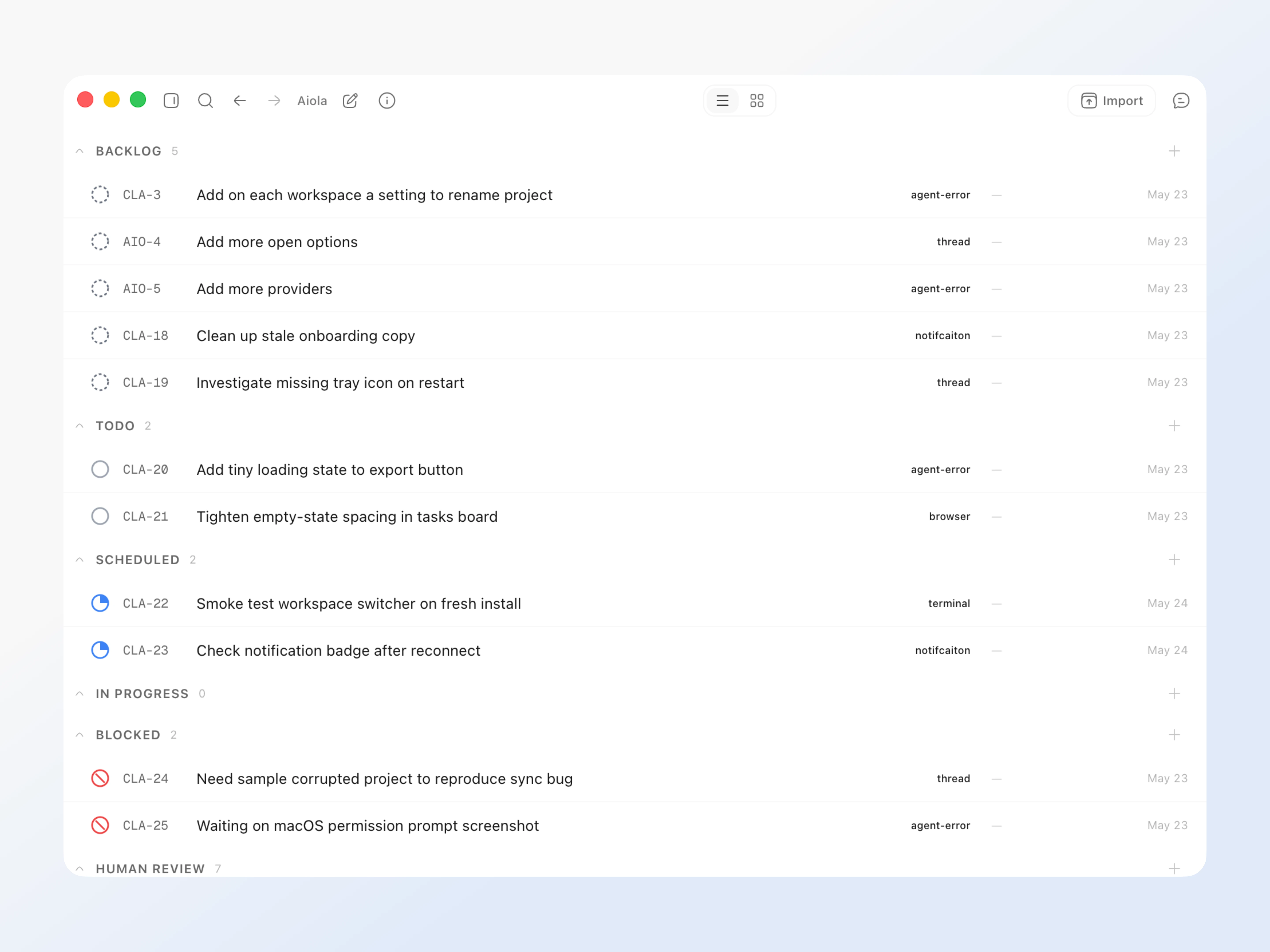
You need to distinguish new reports from work already handled. Change Open, In Progress, Human Review, Closed, or Ignored individually or in bulk.

Submission totals and trends

You need to see whether incoming reports are growing. Feedback totals and trends summarize submissions, open reports, issues, and feature requests.

Copy and delete reports

Some reports need sharing or removal. Copy report data or delete individual submissions and selected groups.

Custom prompts

Bug reports and feature requests need different investigation instructions. Settings, under Instructions, saves separate analysis and fix prompts for both report types.

Worktree setting

A report fix can disturb work already in progress. Enable Run feedback actions in worktree in Settings, under Git, for fresh worktree threads.

Project key lifecycle

Compromised credentials must stop accepting reports. Generate and copy the shared Feedback and App Logs key once, inspect Last used, regenerate, or revoke.

Problems Aiola solves here

Users report symptoms without enough detail. The form builder adds required fields and choices for issues and feature requests. Image attachments show visual problems beside submitted details.

Adding another reporting interface takes development time. Generated integrations provide setup code and an agent installation prompt. React submissions use a backend proxy to keep the project key server-side.

Reports disappear across repositories. Central Feedback brings workspace submissions together. Search, filters, totals, and statuses help you find and track each report.

Rewriting a report for an assistant wastes time. Chat starts investigations with report context; Open chat resumes them. Fix it sends context into the report’s thread.

Investigating a report can interrupt current code changes. The worktree setting starts feedback action threads in a fresh worktree. Review and test the proposed changes before closing the report.

Install and maintain the integration

Save both form schemas before using Get code in Settings, under Feedback. Generated submissions must match the saved fields.

Keep the project key on your server. React integrations need a backend proxy; the generated browser code posts to that backend.

Custom senders can retain their existing interface and submit reports over HTTP. Follow the Feedback setup guide.

In Settings, under API Key, copy a new key once and check Last used. Regeneration invalidates the old key; update deployment secrets.

Revocation stops submissions using that key for both Feedback and App Logs. Hosted Feedback needs Pro or the 7-day trial.

Common questions

Build, ship and fix in one app

Errors, user feedback, GitHub and analytics live next to your coding agents in one desktop app. Every issue becomes a task an agent can take.