01
Choose a workspace and execution location
Parallel changes can interfere with your checkout. Start a workspace draft in Local or an isolated Git Worktree.
Aiola Threads
Parallel fixes lose context across tabs and checkouts. Aiola keeps workspace threads, queued prompts, approvals, and changes together. Continue each conversation with its tools and context close by.
01
Parallel changes can interfere with your checkout. Start a workspace draft in Local or an isolated Git Worktree.
02
Explaining a bug from scratch takes time. Mention records or files, attach context, select agents or skills, and dictate prompts.
03
Agent output needs checking before another request. Read streaming replies, tool details, and turn diffs; copy messages or undo supported changes.
New ideas arrive while the agent is busy. Queue, edit, remove, or split prompts into threads; Stop holds the queue until Resume or Clear.
Busy workspaces make important conversations hard to spot. Pin, rename, mark read or unread, regenerate supported titles, copy IDs, or delete threads.
A quick change can grow into work needing isolation. Hand off an idle thread between Local and Worktree, carrying uncommitted changes.
An agent can need your decision before continuing. Answer tool approvals and questions with offered options or custom text where supported.
Complex findings are hard to follow as plain text. Open agent HTML reports and interactive visualizations, expand raw results, or retry unavailable reports.
Old decisions disappear in long conversation lists. Search message text through the command palette, jump to matches, or restore archived threads.
Switching applications can hide your active conversation. Open drafts or threads in popouts with Always on top, tray access, and a configurable global shortcut.
Long runs finish while your attention is elsewhere. Set completion notifications to Always, Only when unfocused, or Never, and configure notification permission alerts.
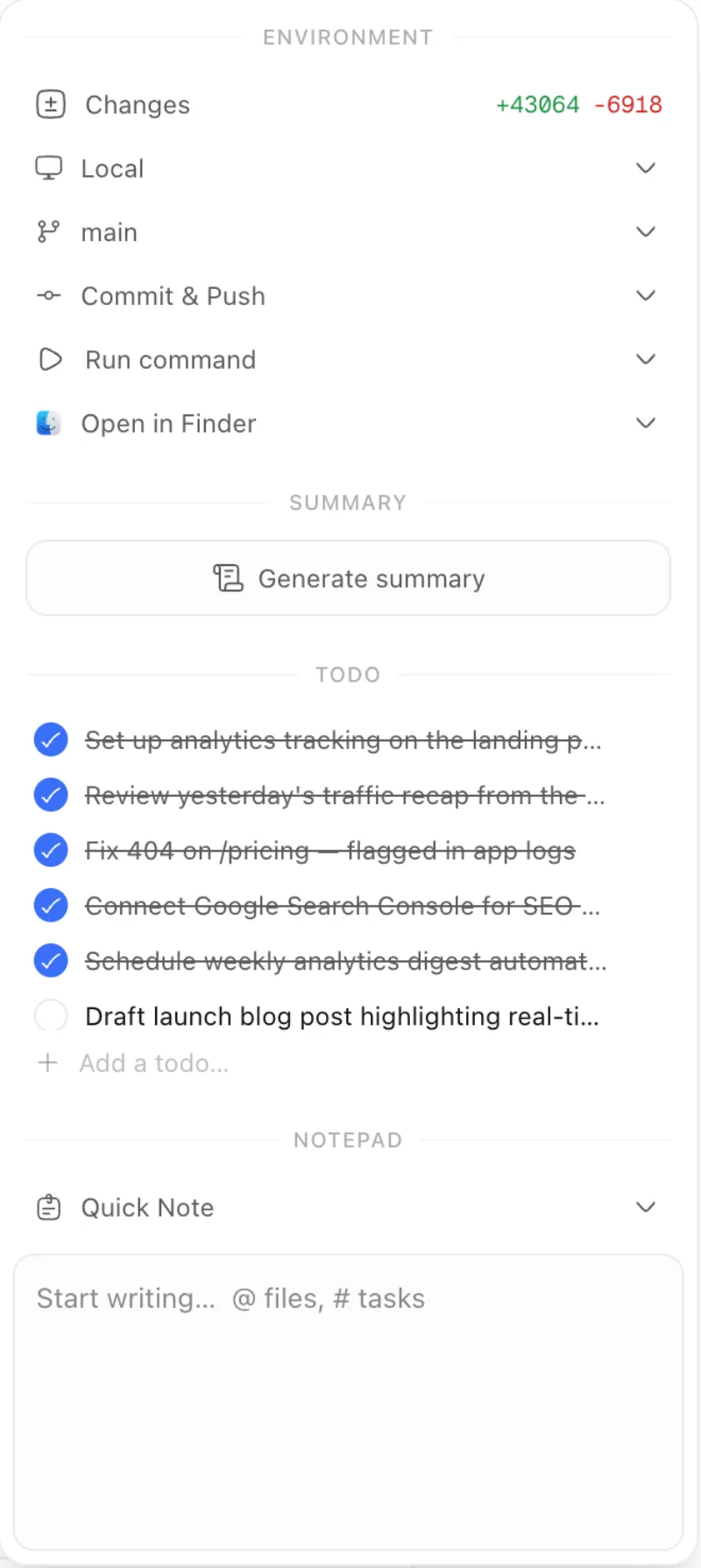
Switching pages interrupts work on a question. Context keeps the thread recap, environment, shared workspace notes, and editable todos beside chat.
Reviewing and shipping changes takes more than reading chat. Stage, commit, sync, stash, merge, inspect history, manage PR links, and run workspace commands.
Checking files and running tests can scatter your tools. Open, reorder, or close panel tabs, collapse the panel, or expand it fullscreen.
Describing browser behavior manually takes repeated back-and-forth. Desktop browser tools let agents navigate, inspect, screenshot, click, type, scroll, and read console messages.
Different tasks need different models. Choose Claude Code, Codex, Cursor, Grok CLI, OpenCode, or Antigravity; started threads keep their provider.
Some work needs tighter limits on agent actions. Pick Supervised, Auto-accept, or Full Access; in Antigravity, Supervised plans without edits.
Long conversations and difficult tasks need different settings. Choose supported reasoning, Fast Mode, and context sizes; inspect usage or compact Claude Code context.
Parallel fixes can collide in one checkout. Local and Worktree execution let you choose where a thread runs. Environment handoff moves idle work when its scope grows.
Explaining the same context wastes time. Mentions, attachments, workspace agents, and skills bring relevant material into the composer. Dictation helps when speaking is easier than typing.
Busy agents should not block your next idea. Queue follow-ups while a run continues, then edit or split them. Desktop notifications tell you when a run finishes.
Review gets fragmented across windows. Files, Review, Terminal, browser tabs, and Context keep evidence beside the conversation. The recap belongs to the thread; notes and todos belong to the workspace.
Important decisions get buried. Search full conversation text and jump to matching messages. Pins, read markers, archive restoration, and popouts help you return to work.
Type / to find actions, models, reasoning choices, workspace commands, agents, and skills. Mention tasks, issues, pull requests, notes, App Logs, Feedback, or workspaces.
Attach files, or paste and drop images when the selected provider and model support them. Antigravity does not accept image attachments.
Eligible Claude Code, Codex, and Cursor models offer Fast Mode. Claude Code also offers context size choices, manual compaction, and supported resume compaction suggestions.
Codex reports automatic compaction. The context meter displays reported usage, including Antigravity token usage when supplied by its CLI.
Choose permission behavior for your provider before running work. In Antigravity, Supervised plans without edits; Auto-accept allows edits while denying commands that require approval.
Context includes staging, unstaging, commit and push, pull, fetch, stash, stash restoration, merge, history, and pull request creation. Disconnect linked pull requests or open the checkout in external tools.
Restore archived threads from Workspace Settings, Data, Archived Threads. Closing a popout keeps the conversation available in its workspace.

Errors, user feedback, GitHub and analytics live next to your coding agents in one desktop app. Every issue becomes a task an agent can take.