01
Check provider installation
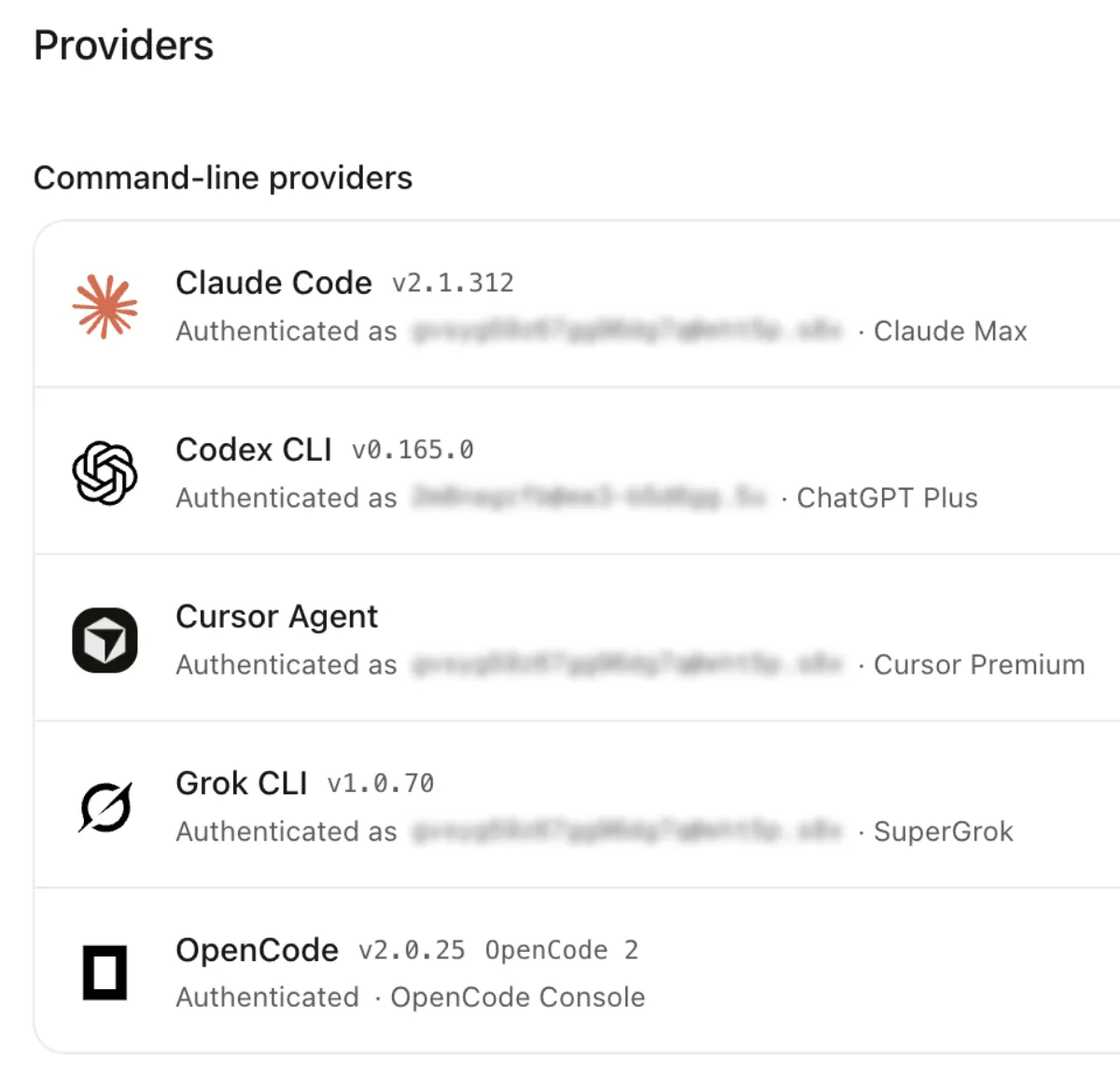
A missing or outdated CLI can prevent agent work from starting. Providers shows detected versions and installation or login commands to copy into a terminal.
Aiola Usage
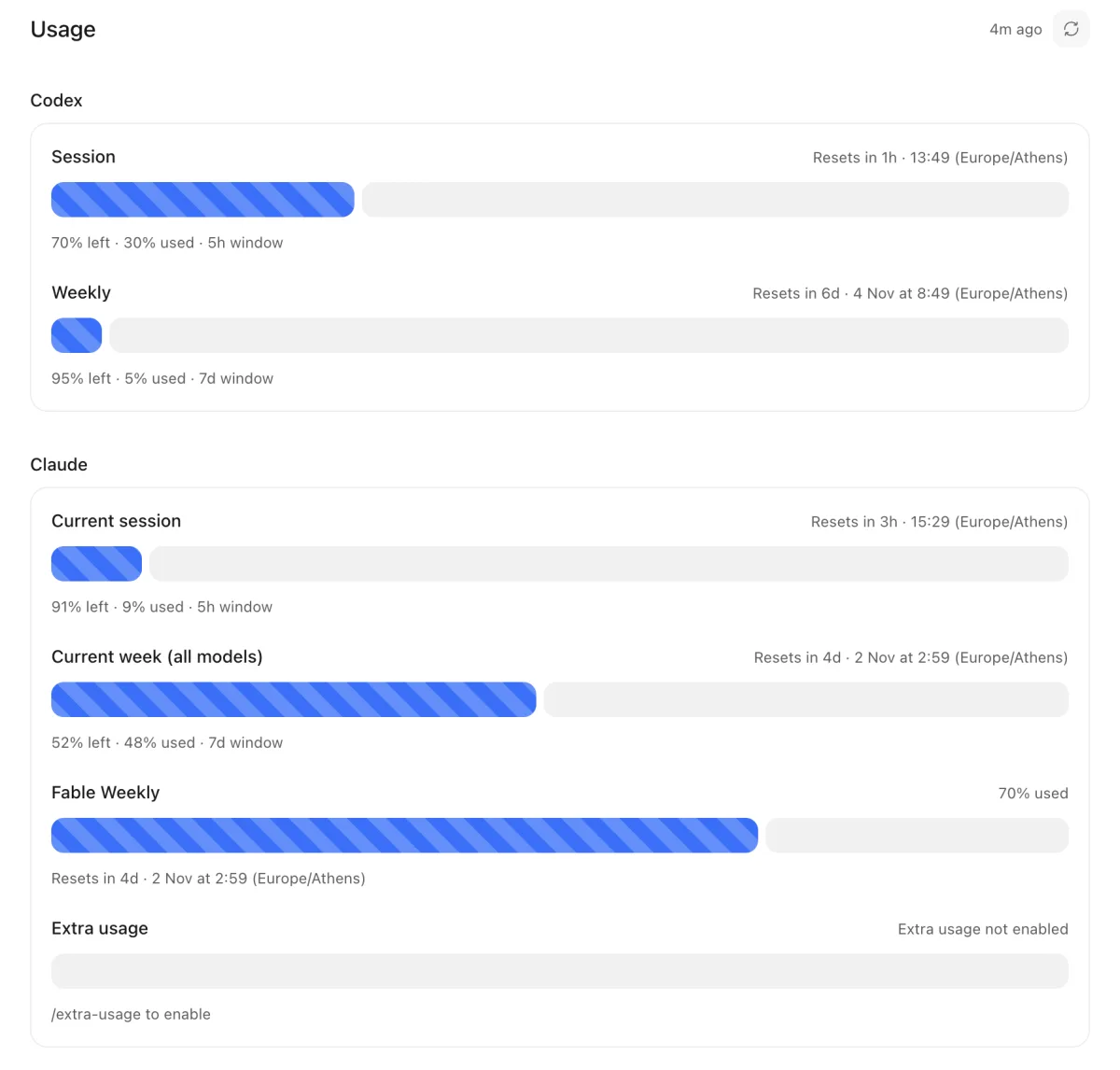
Unexpected provider limits interrupt coding work. Aiola shows available quotas, reset times, and Analytics event allowance in Central Settings. Check your allowance before deciding which agent run to start next.
01
A missing or outdated CLI can prevent agent work from starting. Providers shows detected versions and installation or login commands to copy into a terminal.
02
An installed CLI may still need account access. Authenticate in a terminal, then select Re-check to detect login status without entering API keys.
03
Old quota information makes it hard to plan your next run. Usage refreshes available provider quotas and Analytics allowance, with the last refresh time.
Different projects may need different coding agents. Aiola connects Claude Code, Codex, Cursor, Grok CLI, OpenCode, and Antigravity using your subscriptions without token markup.
Unused agents can clutter your choices. Providers enables or disables authenticated CLIs, checks their status when enabled, and refreshes model availability.
Long model lists slow down starting a thread. Providers hides, restores, and reorders models so chat pickers reflect your choices.
You need to know when Claude Code allowance will return. Usage shows available session, weekly, model-specific, and extra usage, with local activity fallback.
Codex limits can affect which work you start next. Usage shows available session, weekly, model, review, and spend windows with remaining allowance and resets.
Cursor account limits can be difficult to compare across usage types. Usage shows returned credits, requests, total, Auto, API, and on-demand allowance.
Starting a Grok run requires knowing your remaining allowance. Usage shows the quota percentage and reset time returned for your authenticated account.
You need to distinguish OpenCode reports from estimates. Usage labels estimates and shows available five-hour, weekly, monthly limits and resets; Zen has no summary here.
Different Antigravity model groups can exhaust allowance at different times. Usage shows returned group percentages and resets, including five-hour and weekly windows when available.
Growing traffic can consume your Analytics allowance before you notice. Usage shows cycle events, monthly limits, reset dates, and configured sites’ counts and shares.
A locked Analytics dashboard needs an explanation. Usage identifies an exceeded allowance and explains continued event collection until access resumes after reset or upgrade.
A provider can be installed without being ready to run. Providers shows installation and authentication status. Copy its commands, sign in through a terminal, and select Re-check.
An unexpected limit can interrupt the work you planned. Usage shows the quota windows and reset times returned by your account. Refresh before choosing your next run.
Different providers report different kinds of allowance. Usage presents the fields each account exposes. Missing data does not establish unlimited usage, and local fallback estimates are labeled.
Too many model choices make thread setup slower. Providers hides and reorders models for chat pickers. Enable only the authenticated providers you want available.
Analytics traffic can exceed your current event allowance. Usage shows cycle totals, site shares, and the reset date. Its limit message explains dashboard access and continued event collection.

Errors, user feedback, GitHub and analytics live next to your coding agents in one desktop app. Every issue becomes a task an agent can take.