June 17, 2026 · v0.1.70
v0.1.70 added an Indexing panel and full-text thread search
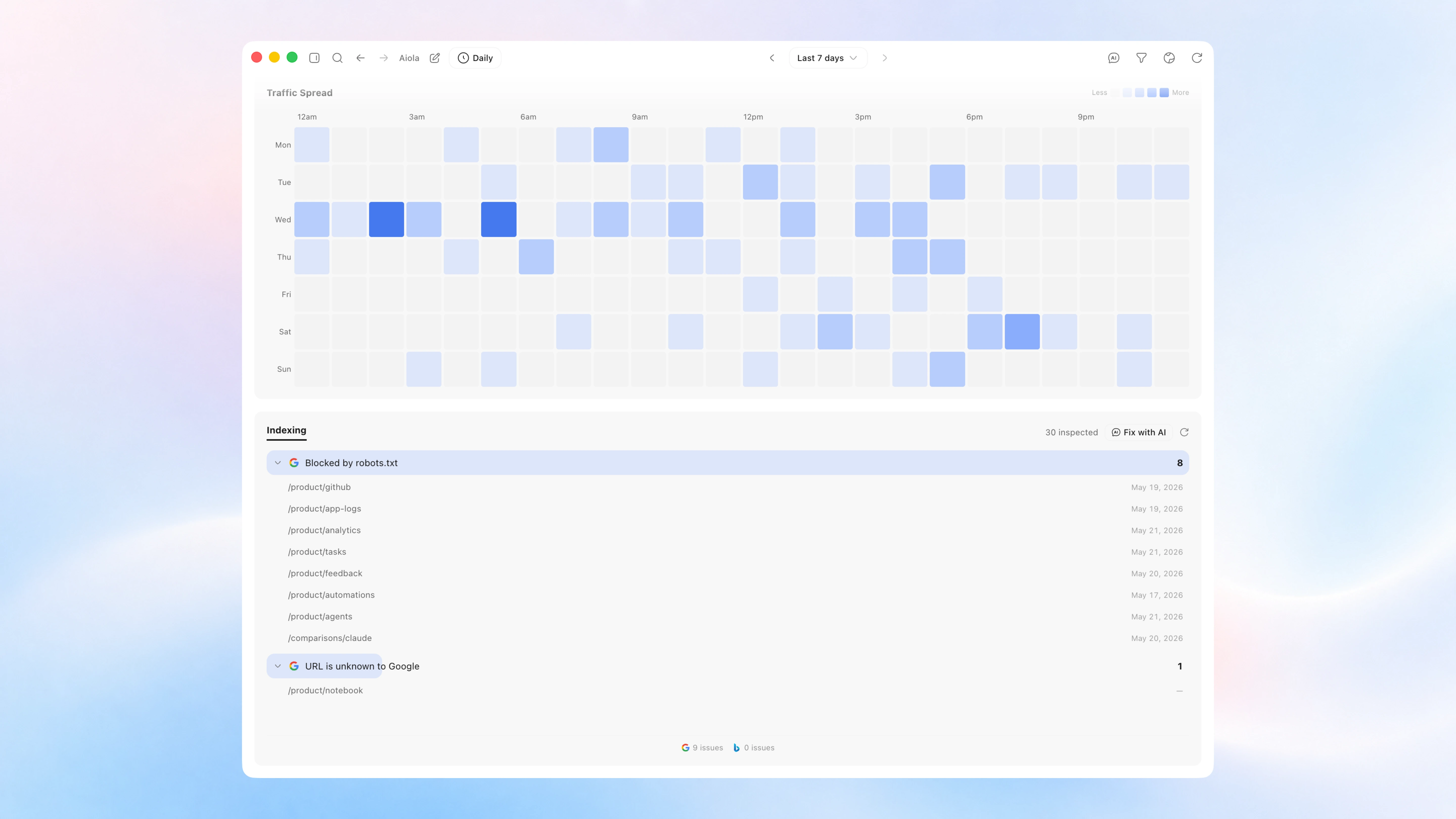
A search-and-fix release. Analytics gained an Indexing panel that pulls the real "why pages aren't indexed" reasons from Google Search Console and Bing for your project's site — and a Fix with AI button that hands the whole list to chat. The command palette now searches inside the contents of every thread, not just titles. Generate summary also works again across every provider.
What's New
- See why your pages aren't getting indexed — and fix them: A new Indexing panel at the bottom of Analytics shows the "why pages aren't indexed" reasons straight from Google Search Console (plus Bing crawl issues) for the site connected to your project. Issues are grouped by the exact reason —
noindex, 404, redirects, crawled-but-not-indexed, robots-blocked, whatever the engines actually report — each with the affected URLs and when they were last crawled. It inspects your sitemap in the background and fills in live (so even sites with thousands of URLs keep building up), then caches the result so it's instant next time. Hit Fix with AI to send the whole list to chat — the agent finds the shared root cause and fixes it, and you can tailor exactly what it does in Settings → Instructions → Indexing Fix. - Search inside your threads: The command palette (⌘K) now searches the contents of every thread in the current project — not just titles. Type a couple of letters from something you remember saying or doing, and matches show up under a new Found in threads group with a highlighted snippet of the message; hit it to jump straight to that thread. It's scoped to the project you're in (so you find it where you remember building it), updates as new threads come in, and stays fast and out of your way while you type.
Fixes
- Generate summary works again: The per-thread Context panel's Generate summary could silently do nothing in the packaged app — it ran a fixed model that not every provider offers (Cursor rejected it outright, others hit a quota tier), so the request came back empty and the panel never updated. Summaries now run on the same model and provider the thread is already using, so Generate and Regenerate produce a real recap across Claude, Codex, and Cursor.